

Others
Psst. Pre-production specs say what the manufacturer intended. Do you know what actually went on sale? 🤔
Misses real-world duplicate TACs.

51Degrees
99.37% of active TACs covered, with the 2.05% shared by more than one device identified.
Plans and prices are on the pricing page, and every property is in the Property Dictionary.
What you need to know
A Type Allocation Code is the first eight digits of a mobile device's 15-digit International Mobile Equipment Identity (IMEI) number. In the made-up IMEI below, the TAC belongs to the Samsung Galaxy S23, the next six digits are the handset's serial number, and the last digit checks the others.
Use the TAC to look up device model information, with the duplicate-code limits described below. TACs only apply to GSM wireless devices with a SIM card. Desktop computers, Wi-Fi-only tablets, and CDMA-only devices didn't get an invite to this party!
- The TACs observed on devices using your network are mapped against our device database.
- You get useful insights into network traffic based on more than 200 verified data points.
- These insights help you get better business results across your organization.
Most customers take our TAC data as a CSV file, which imports straight into a database, a spreadsheet, or business intelligence tools. The data is indexed for TAC, web, and apps, for use over both Wi-Fi and cellular networks. Contact us for the CSV file.
To look TACs up from your own code, use our cloud service or host the data on-premise. For cloud use, read about the Resource Key, then create a Resource Key with the properties you need.
using (var pipeline = new FiftyOnePipelineBuilder(
        loggerFactory, serviceProvider)
    .BuildFromConfiguration(pipelineOptions))
{
    AnalyseTac(_tac1, pipeline, output);
    AnalyseTac(_tac2, pipeline, output);
}

static void AnalyseTac(
    string tac, IPipeline pipeline, TextWriter output)
{
    using (var data = pipeline.CreateFlowData())
    {
        data.AddEvidence(
            Shared.Constants.EVIDENCE_QUERY_TAC_KEY, tac);
        data.Process();
        var result = data.Get<MultiDeviceDataCloud>();
        foreach (var device in result.Profiles)
        {
            var vendor =
                device.HardwareVendor.GetHumanReadable();
            var name = device.HardwareName.GetHumanReadable();
            var model = device.HardwareModel.GetHumanReadable();
        }
    }
}PipelineOptions pipelineOptions =
PipelineOptionsFactory.getOptionsFromFile(optionsFile);
try (Pipeline pipeline = new FiftyOnePipelineBuilder()
.buildFromConfiguration(pipelineOptions)) {
analyseTac(TAC_1, pipeline, writer);
analyseTac(TAC_2, pipeline, writer);
}
static void analyseTac(String tac, Pipeline pipeline,
PrintWriter output) throws Exception {
try (FlowData data = pipeline.createFlowData()) {
data.addEvidence(Constants.EVIDENCE_QUERY_TAC_KEY, tac);
data.process();
MultiDeviceDataCloud result =
data.get(MultiDeviceDataCloud.class);
for (DeviceData device : result.getProfiles()) {
AspectPropertyValue<String> vendor =
device.getHardwareVendor();
AspectPropertyValue<List<String>> name =
device.getHardwareName();
AspectPropertyValue<String> model =
device.getHardwareModel();
}
}
}const analyseTac = async function (tac, pipeline, output) {
const flowData = pipeline.createFlowData();
flowData.evidence.add(constants.EVIDENCE_QUERY_TAC_KEY, tac);
await flowData.process();
const profiles = DataExtension.getProfilesHelper(
flowData.hardware);
profiles.forEach(profile => {
const hardwareVendor = DataExtension.getValueHelper(
profile, 'hardwarevendor');
const hardwareName = DataExtension.getValueHelper(
profile, 'hardwarename');
const hardwareModel = DataExtension.getValueHelper(
profile, 'hardwaremodel');
});
};
const pipeline = new PipelineBuilder()
.buildFromConfiguration(options);
await analyseTac(tac1, pipeline, output);
await analyseTac(tac2, pipeline, output);pipeline = PipelineBuilder().add_logger(
logger).build_from_configuration(config)
self.analyseTac(self._tac1, pipeline, output)
self.analyseTac(self._tac2, pipeline, output)
def analyseTac(self, tac, pipeline, output):
data = pipeline.create_flowdata()
data.evidence.add(Constants.EVIDENCE_QUERY_TAC_KEY, tac)
data.process()
result = data.hardware
profiles = ExampleUtils.get_profiles(result)
for device in profiles:
vendor = ExampleUtils.get_human_readable(
device, "hardwarevendor")
name = ExampleUtils.get_human_readable(
device, "hardwarename")
model = ExampleUtils.get_human_readable(
device, "hardwaremodel")$pipeline = (new PipelineBuilder())
->addLogger($logger)
->buildFromConfig($config);
$this->analyseTac($this->tac1, $pipeline, $output);
$this->analyseTac($this->tac2, $pipeline, $output);
private function analyseTac($tac, $pipeline, callable $output)
{
$data = $pipeline->createFlowData();
$data->evidence->set(
Constants::EVIDENCE_QUERY_TAC_KEY, $tac);
$data->process();
$result = $data->hardware;
$profiles = ExampleUtils::getProfiles($result);
foreach ($profiles as $profile) {
$vendor = ExampleUtils::getHumanReadable(
$profile, 'hardwarevendor');
$name = ExampleUtils::getHumanReadable(
$profile, 'hardwarename');
$model = ExampleUtils::getHumanReadable(
$profile, 'hardwaremodel');
}
}let mut builder =
DeviceDetectionPipelineBuilder::cloud(options.resource_key)
.hardware_profile();
if let Some(endpoint) = options.endpoint {
builder = builder.endpoint(endpoint);
}
let pipeline = builder
.share_usage(false)
.build()
.context(
"failed to build the cloud hardware-profile pipeline")?;
for tac in &options.tacs {
let mut data = pipeline.create_flow_data_with(
Evidence::builder()
.add(EVIDENCE_QUERY_TAC_KEY, tac.clone())
.build(),
);
data.process().context("cloud pipeline processing failed")?;
let hardware = data.get(HARDWARE_DATA_KEY).context(
"no hardware-profile data was produced; the cloud request engine did not run",
)?;
for profile in hardware.profiles() {
println!("\t{}", profile_line(profile));
}
}For on-premise hosting, get in touch with us to arrange a License Key. Once you have set up the code from our GitHub, the Key lets you download the on-premise TAC data, and the TAC lookup examples show the code.
Our database covers 99.37% of active devices (all that are currently significant and verifiable in the real world).
Know every device registered against a TAC, including the 2.05% of TAC data that's duplicated across multiple devices.
Every day, we manually research and map TAC data to cover new device profiles and properties. We carefully index by User-Agents and native application keys to give you a single, unified TAC database you can bet your business on.
We verify device data against multiple authoritative sources, and we check whether pre-release device specifications change on release.
Pick one to find out more

Each heading opens a short answer, with code or a figure, and a link to the documentation for more.

What is TAC intelligence from 51Degrees?
Why use TAC intelligence?
Use the TACs observed on your network to look up properties such as price, release date, video support, radio spectrum, and standards.
What you can use it for
Explore uses for mobile networks, data and analytics, advertising, and bot detection.
Try a TAC
Pick a device to open the TAC tester, which shows its TAC and every device registered against it. Most TACs belong to one device, but some are shared by several, sometimes years apart.
One TAC, one device
-
 Samsung
Galaxy S23
SM-S911B, 2023
-
 Samsung
Galaxy S24
SM-S921B, 2024
-
 Samsung
Galaxy S25
SM-S931B, 2025
-
 Apple
iPhone 16
A3081, 2024
-
 Google
Pixel 9
GUR25, 2024
- Google Pixel 10 GLBW0, 2025
One TAC, several devices
-
 2 devices
Samsung
Galaxy A30, two variants
SM-A305G and SM-A305GZ, 2019
-
 2 devices
Xiaomi
Redmi Note 7 and Note 7S
M1901F7I, 2019
- 2 devices ZTE Leo M1 and V769M Leo M1, 2013
-
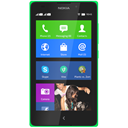 2 devices
Nokia and Microsoft
Nokia XL and Lumia 950 XL Dual SIM
2014 and 2015
-
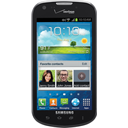 14 devices
Samsung
Galaxy S4, Galaxy Note 3, Galaxy Mega and more
- 8 devices Motorola V300, V500, V600 and more